Executive Summary Slide: How to Write One, With Examples
By the Premium Slides team · · 8 min read
Quick answer
An executive summary slide gives the whole deck's message on one slide: the main conclusion as the headline, three supporting points with one number each, and the decision or next step you need. Write it last and put it first, right after the title slide, so a busy reader can understand and act without reading the rest.
Key takeaways
- An executive summary slide states the conclusion first, then the evidence, then the ask.
- Write the headline as a full sentence that someone could act on.
- Three supporting points with one number each is enough for most decks.
- Write the summary after the rest of the deck, then place it right after the title slide.
- When you present it, say the answer in the first 30 seconds and invite questions early.
Senior readers rarely get past slide three. They open the deck, look for the answer, and if they cannot find it quickly they ask you for "the short version". The executive summary slide is that short version, written down and placed where they will see it first.
This guide explains what goes on an executive summary slide, how to write one in six steps, a worked example, executive summary slide examples for different kinds of decks, and how to present the slide in a meeting.
What is an executive summary slide?
An executive summary slide gives the whole deck's message on one slide: the conclusion, the main evidence and the decision you need. It sits right after the title slide. A reader who sees only this slide should know what you found and what you want them to do.
It is not an agenda and not a table of contents. Those tell people which topics are coming. An executive summary tells them the answer. If your slide says "Market overview, Financials, Next steps", it is an agenda with the wrong name. Our guides to agenda slides and table of contents slides cover those formats.
The idea of putting the answer first is often linked to Barbara Minto's Pyramid Principle, which consultants use to structure reports: start with the main point, then group the supporting arguments under it. You do not need the full method to use the idea on one slide.
What goes on an executive summary slide?
A headline with the conclusion, three supporting points with one number each, and a clear ask or next step. Some decks add a short line of context at the top. That is all.
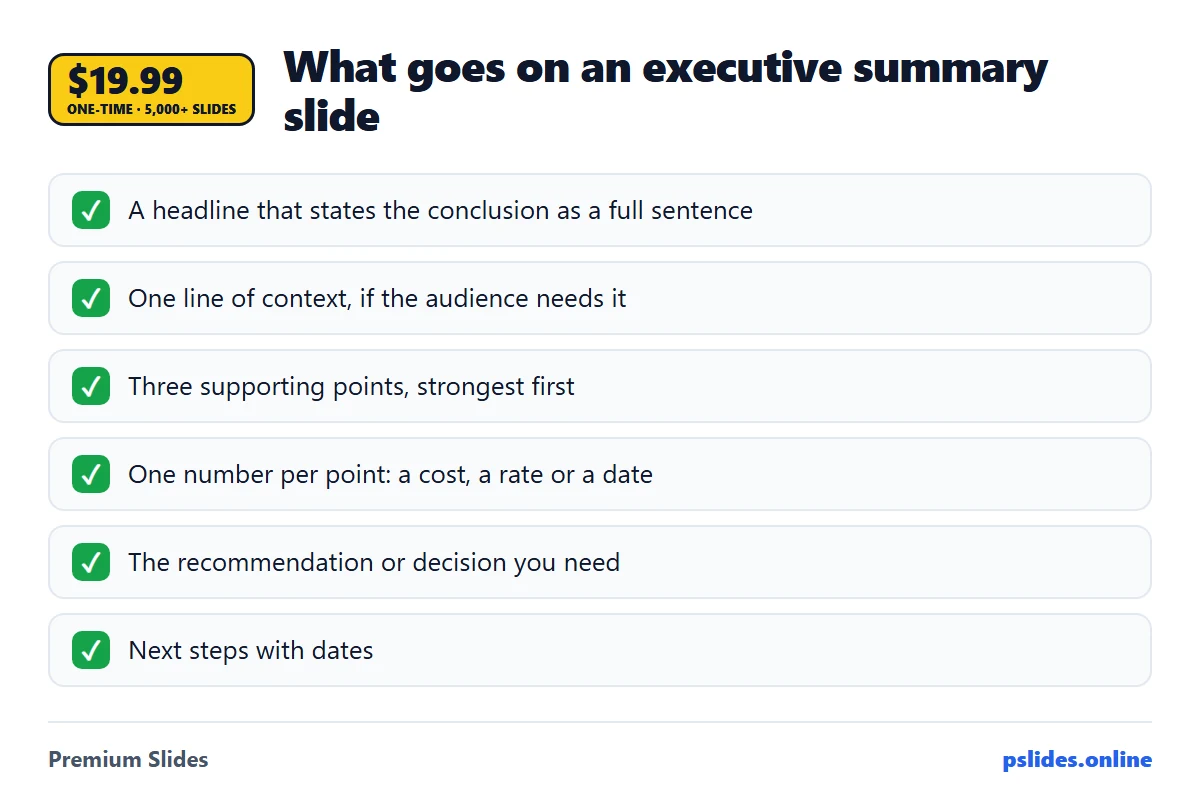
- Headline. A full sentence with the conclusion, such as "We should open the second warehouse in March". Not "Summary".
- Context. One line on why this matters now, if the audience needs it.
- Three supporting points. The strongest reasons behind the headline. Three is a rule of thumb, not a law; two or four can work.
- One number per point. A cost, a growth rate, a customer count or a date. Numbers make the points concrete.
- The ask. The decision, budget or approval you need, and by when.
How do you write an executive summary slide?
Write it last and put it first. You can only summarise a deck once the deck exists. Then follow these six steps.

1. Write the answer in one sentence
Imagine the decision maker gives you one sentence in the lift. What do you say? That sentence becomes the headline. If you cannot write it, the deck is not finished yet.
2. Pick three supporting points
Look through your section headings and choose the three findings that most support the answer. Leave out anything that is interesting but does not change the decision.
3. Add one number to each point
Turn "costs are rising" into "costs rose 14% in six months". If a point has no number, check whether it is really a finding or just an opinion.
4. State the ask
End with what you need: "Approve a budget of $40,000 by 30 May" or "Choose option B at today's meeting". A summary without an ask leaves the reader to guess.
5. Cut it down
As a rule of thumb, aim for under about 80 words. Cut adjectives, repeat nothing and replace sentences with short phrases where the meaning stays clear.
6. Place it after the title slide
Put it as slide two, before the agenda. In a long report you can repeat it as the last slide too, so the deck ends on the same message it started with.
What does a good executive summary slide look like?
Here is a worked example for an invented company: a small online bakery deciding whether to offer same-day delivery. The figures are made up to show the format.
Headline: A three-month same-day delivery pilot is worth running in two districts.
1. Demand is there. 1 in 3 customers in our survey asked for same-day delivery.
2. The cost is manageable. Partner fees would take about 12% of each delivery order.
3. The risk is small. The partner contract can end with 30 days' notice.
Decision needed: Approve a pilot budget of $8,000, starting 1 March.
Notice the pattern. The headline is the recommendation. Each point has a label in bold and one number. The last line is a decision someone can say yes or no to. The whole slide is under 70 words.
Executive summary slide examples for different decks
The best executive summary slide examples share the same core (answer, evidence, ask) but change the layout to fit the deck. Here are four layouts that work, with a real template for each.
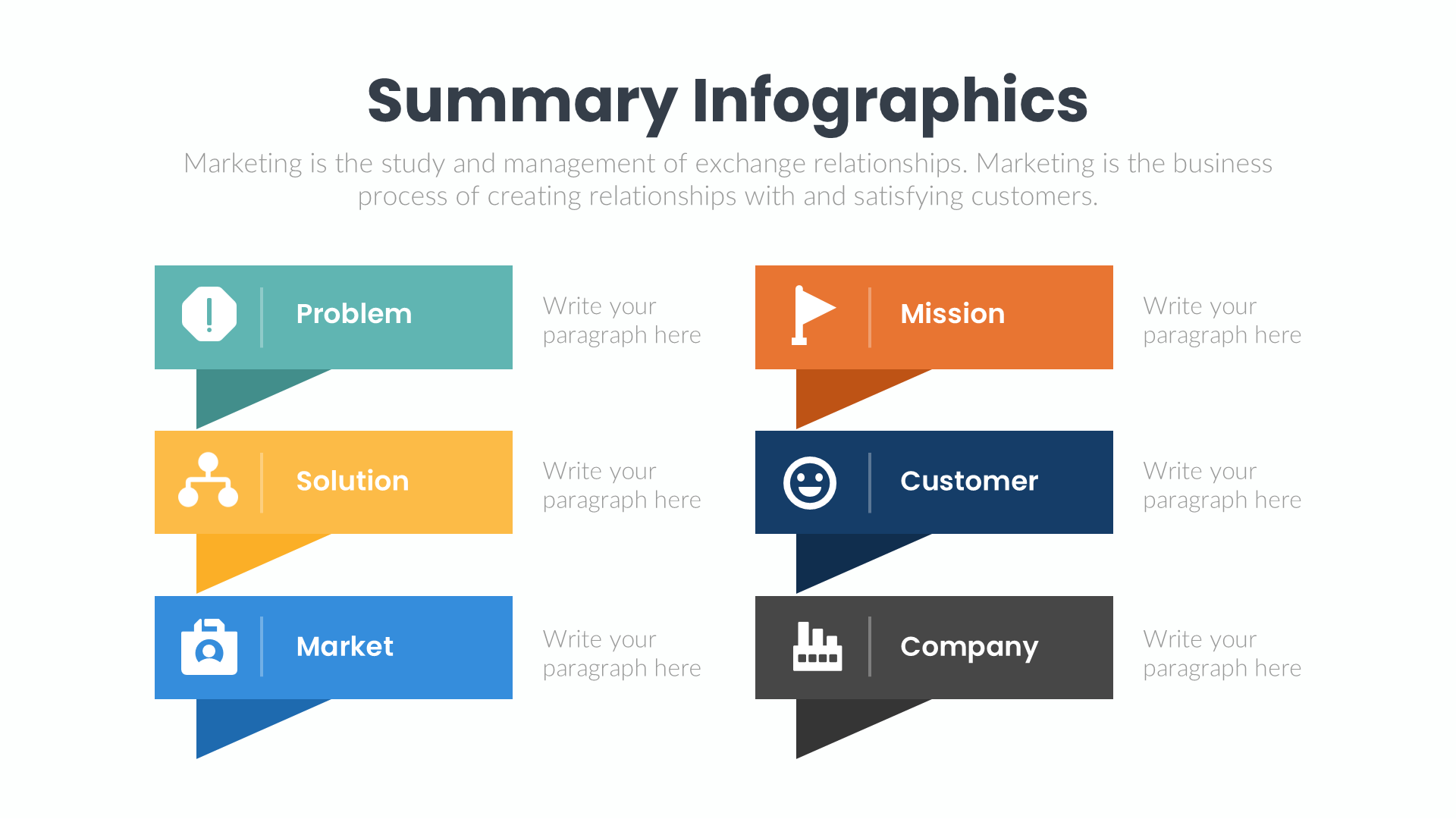
1. Problem, solution, market
Common in business plans and investor decks. Each block holds one short line: the problem, your solution, the market, the customer and so on. It works because investors expect these headings in that order.

Our guide on how to present a business plan shows where this slide fits in the full deck, and the business plan templates include matching layouts.
2. Findings and contents side by side
A consulting-style layout: the main findings with short bullet descriptions on the left, and a list of the document's contents on the right. It suits long reports that are read rather than presented, because the reader gets the answer and a map on one page.

This style comes from consulting reports. See our guide to consulting-style slides for how to write action titles that match it.
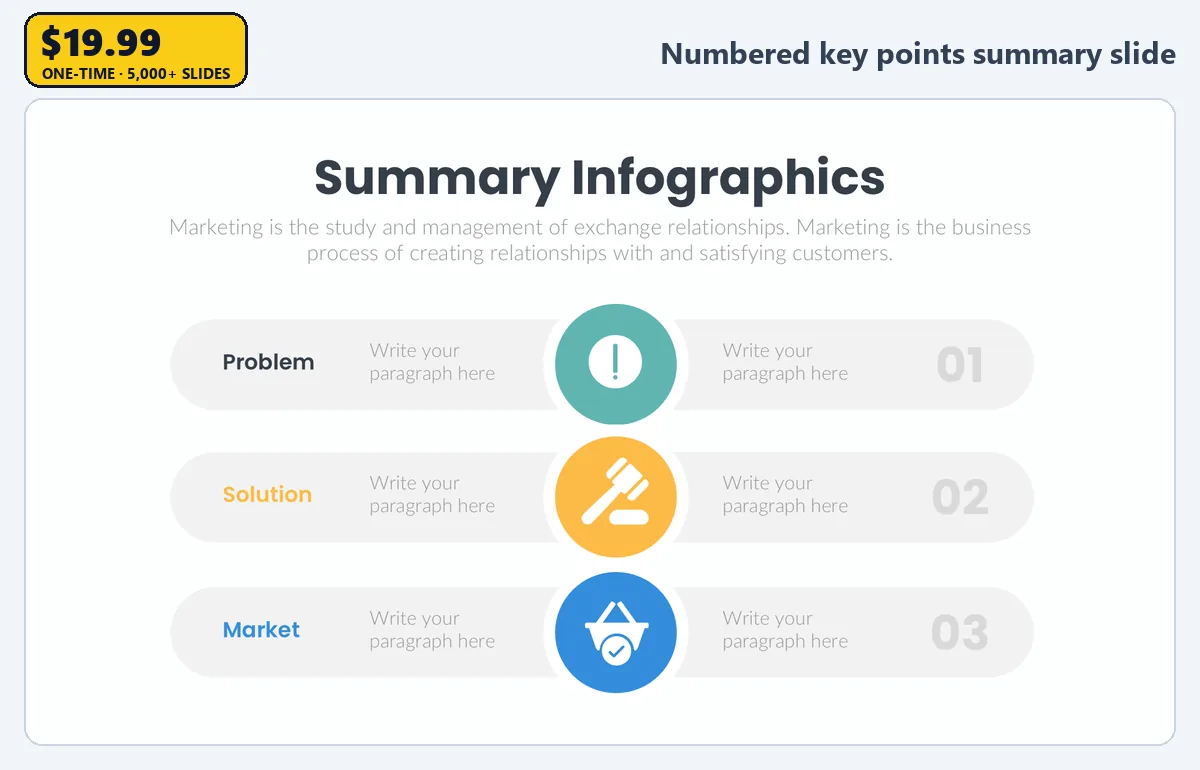
3. Numbered key points
Three numbered rows, each with a label, an icon and a short line. It is the simplest layout for a presented deck, because you can walk through the points in order: one, two, three, then the ask.
4. Big numbers
For a quarterly review or a status update, the summary can be three or four large figures with a one-line meaning under each: revenue, margin, customers, delivery date. A KPI dashboard slide works well here. Our guide to building a dashboard in PowerPoint shows how to choose the numbers.

Executive summary PowerPoint slide ideas: which layout fits?
Match the layout to what the audience needs to decide. The table below is a starting point.
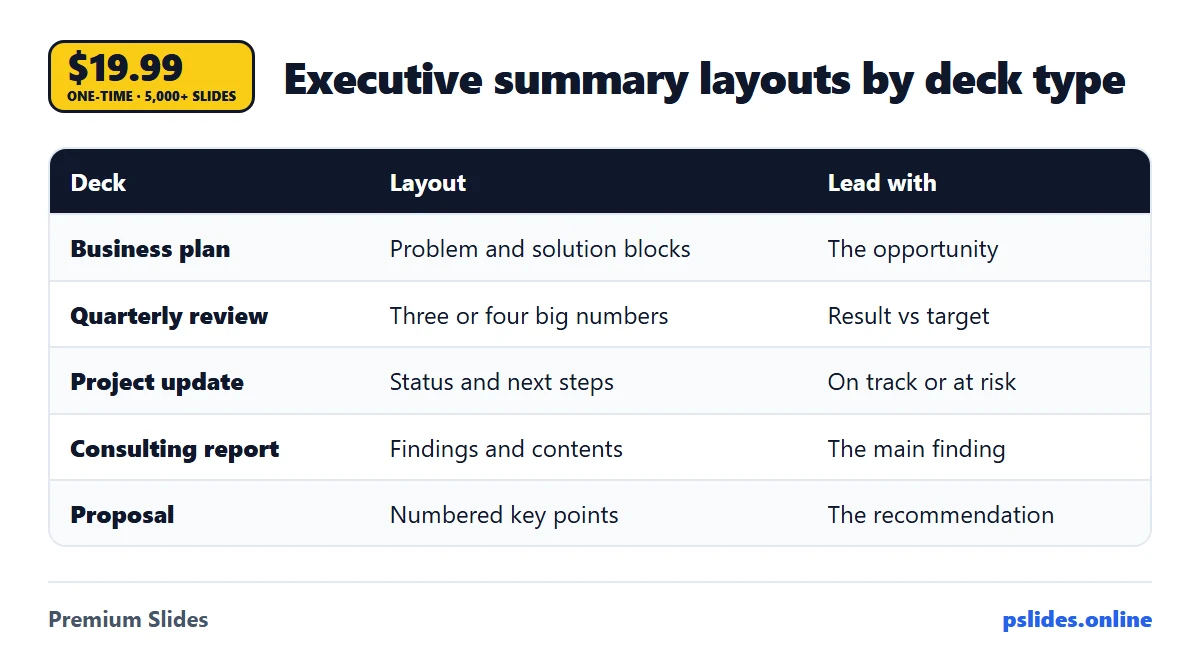
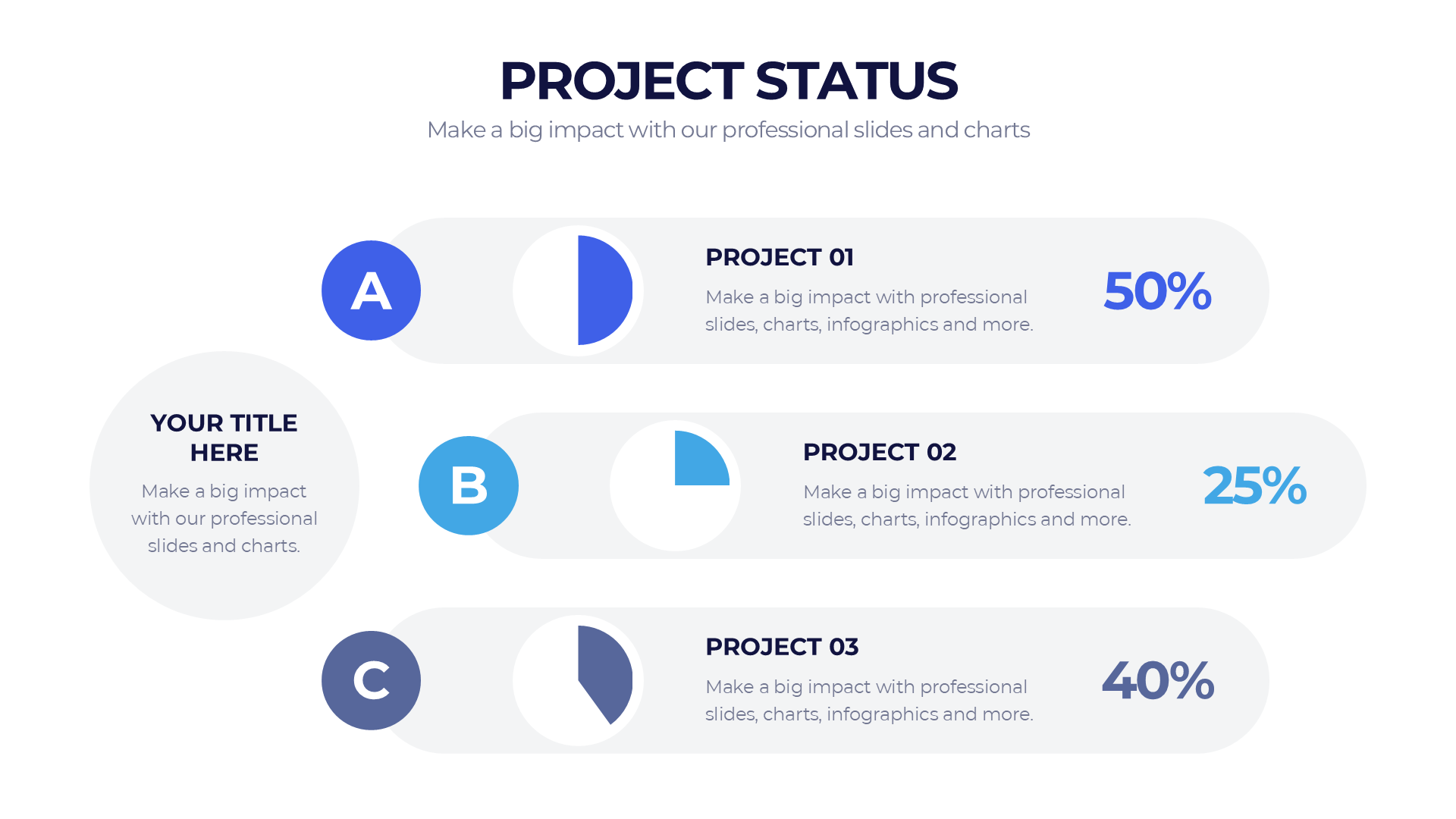
- Project update. Lead with the status in one word (on track, at risk, late), then the reason and the help you need. The project status templates have red, amber and green layouts for this.
- Sales or board review. Lead with the result against target, then the two or three drivers.
- Research or audit. Lead with the main finding and its consequence, then the evidence.
- Proposal. Lead with the recommendation, then cost, benefit and timing.
How do you present an executive summary in a presentation?
Say the answer in the first 30 seconds, walk through the three points, then invite questions before you go into detail. The summary is a promise. The rest of the deck keeps it.
- Read the headline out loud. Not word for word from the screen, but the same message in your own words.
- Take each point in order. Give it one or two sentences. Do not explain the full evidence yet.
- State the ask clearly. "By the end of this meeting, we need a yes or no on the pilot."
- Pause for questions. Senior audiences often want to jump to one point. Let them, and use the rest of the deck as backup.
How to present an executive summary in PPT
In PowerPoint, you can reveal the points one at a time so the audience stays with you. Select the text box, choose Animations > Fade, then Effect Options > By Paragraph. Each click shows the next point. For a deck that will be sent rather than presented, skip the animation and write slightly fuller sentences, since nobody is there to explain them.
What makes an executive summary slide fail?
No conclusion, too much text and no ask. Most weak summaries are really agendas or abstracts.

Other common problems are hiding bad news in point three, using jargon the audience does not share, and a summary that no longer matches the deck after late edits. Read the summary again after the final change to any slide.
How do you build an executive summary slide faster?
The thinking behind the summary is your work. The layout should not be. A ready slide with labelled blocks, numbered rows or a big-number grid lets you spend the time on the headline instead of on aligning boxes.
Premium Slides is one bundle of 5,000+ animated, fully editable slides for PowerPoint, Google Slides and Keynote. It includes the summary slides shown above, plus KPI dashboards, business plan and project status layouts that match them. The bundle costs $19.99 as a one-time payment, with instant download and lifetime access. You can get the full bundle here or browse every template category first.
Frequently asked questions
What is an executive summary slide?
It is one slide near the start of a deck that gives the main conclusion, the key evidence and the recommended next step. A reader who sees only that slide should understand the message.
Where does the executive summary go in a presentation?
Right after the title slide, before the agenda or table of contents. Some long reports also repeat it as the closing slide.
How long should an executive summary slide be?
One slide in most cases, two at most for a long report. As a rule of thumb, keep it under about 80 words so it can be read in under a minute.
How do you present an executive summary in PPT?
Put it as slide two, say the headline out loud first, then walk through the three points in order. If you want to reveal points one by one, use Animations > Fade with Effect Options > By Paragraph.
What is the difference between an executive summary and an agenda?
An agenda lists the topics you will cover. An executive summary tells the audience what you concluded and what you want them to decide.
Should the executive summary include numbers?
Yes, where you have them. One clear number per point, such as a cost, a growth rate or a deadline, makes the summary easier to trust and remember.